


Deleted File Recovery
Completely free software to recover deleted files, whether from Shift+Delete or other accidental deletions.
Recover up to 2GB of deleted or lost data for free
Recover up to 500MB of deleted or lost data for free
Recover up to 2GB of data on Windows or 500MB on Mac for free


Completely free software to recover deleted files, whether from Shift+Delete or other accidental deletions.


4DDiG data recovery free software makes it easy to recover files from formatted HDDs, SD cards, USB drives, etc.


Deleted, formatted, inaccessible, unknown, or raw partition recovery are supported.


Prevent permanent data loss with 4DDiG, designed to recover files from system crashes, including hard drive failures and Windows blue screen errors.


Recover data lost due to virus attacks, sudden power outages or other unexpected problems.


4DDiG free helps you quickly recover deleted files from recycle bin, even after it has been emptied.


This free hard drive recovery software enables you to recover data from a hard disk — whether it’s damaged, corrupted, or formatted.


Documents, videos, images, and more. Restore deleted files from all
storage media
with
4DDiG best free data
recovery software.
Recover over 2,000 file types, from common formats to less familiar ones, with 4DDiG's powerful AI-scanning technology.
 Photo
 Video
 Audio


 Email
 Archives
 Other Files
Recover lost data from a wide range of storage devices with 4DDiG, whether files are deleted, formatted, or lost unexpectedly.
 PC / Laptop
 HDD / SSD*
 USB Drive
 SD / CF Card
 Digital Camera
 Monitoring Equipment
 Dash Cams
 Drones
 More
Powered by AI, 4DDiG is more than a free data recovery software for Windows or Mac. It also repairs corrupted photos and videos, helping ensure recovered files open properly.

Corrupted photos can be repaired during data recovery. 4DDiG Free supports repairing photo files in formats such as JPG, JPEG, PNG, CR3, CR2, NEF, NRW, RAF, and more.
 Upgrade to Pro
Lost video was recovered but failed to play? No worries! 4DDiG uses advanced AI technology to repair corrupted videos in formats like MP4, MOV, AVI, MKV, WMV, and M4V, getting your videos back in action.
Upgrade to Pro

No Charge
100% free recovery software

Auto-Recover
Automatic recovery without waiting

Fast Scan
Start a quick scan within seconds

File Preview
Preview files before saving them

File Filter
Quickly filter scanned results

AI File Repair
Recover corrupted files with AI
Free
Technical Support
99.8%
High Recovery Rate
30+
Patented Technology
AI
Technology
50M+
Satisfied Users
40M+
Downloads
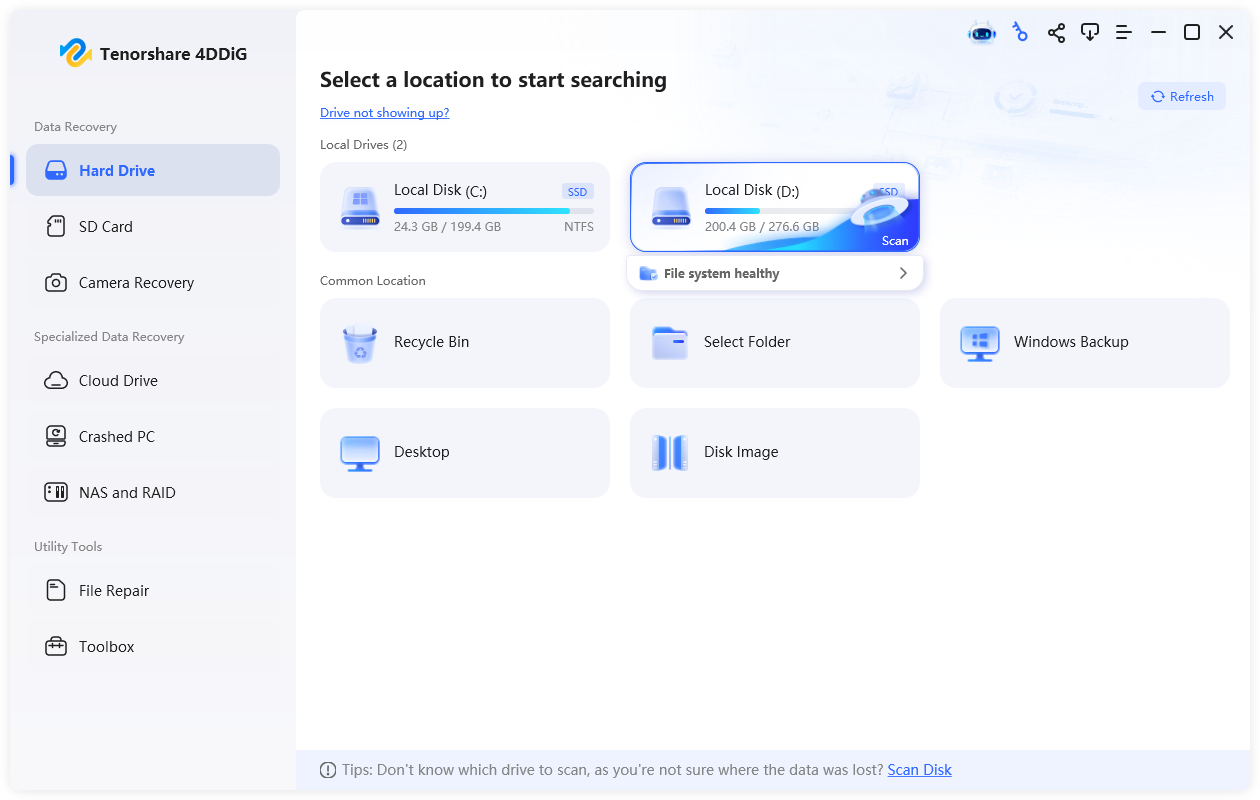
Choose the drive or location where your lost files were stored. The scan starts automatically.
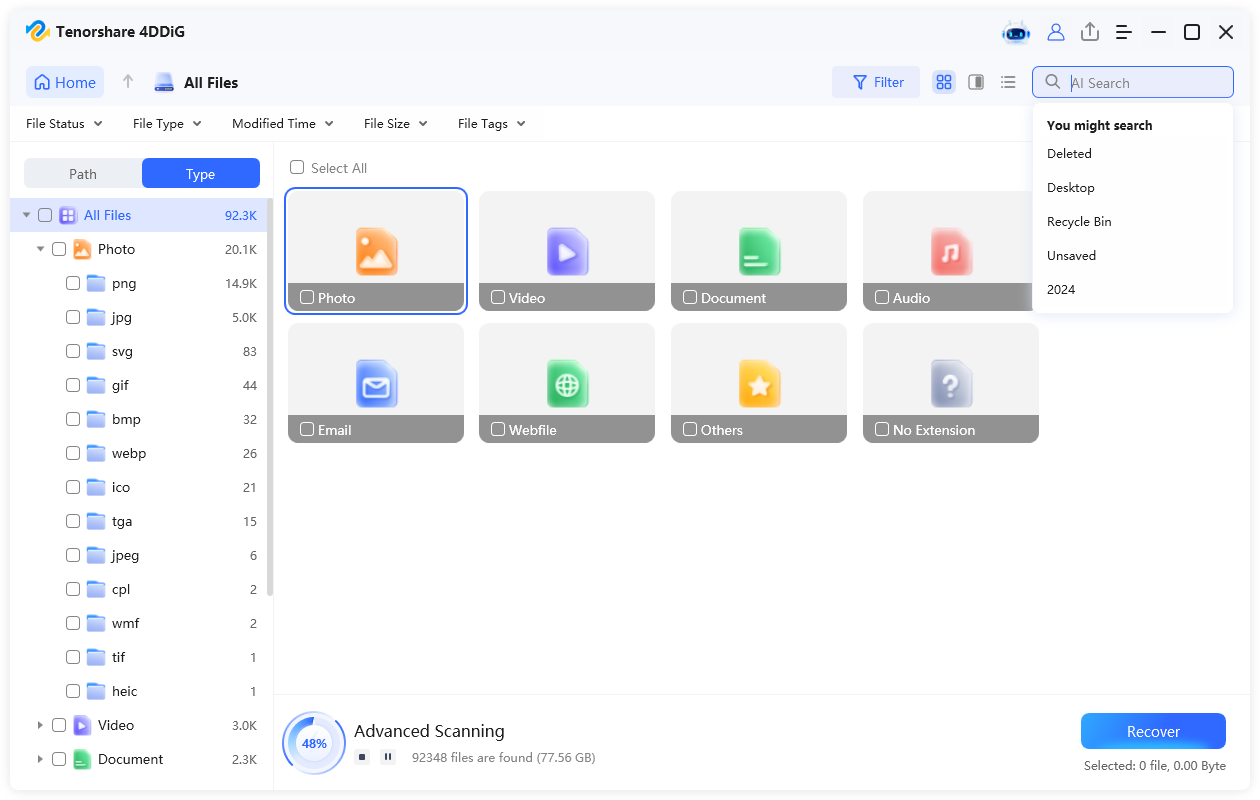
You can filter files by type or use AI Search to find specific files while the scanning is running.
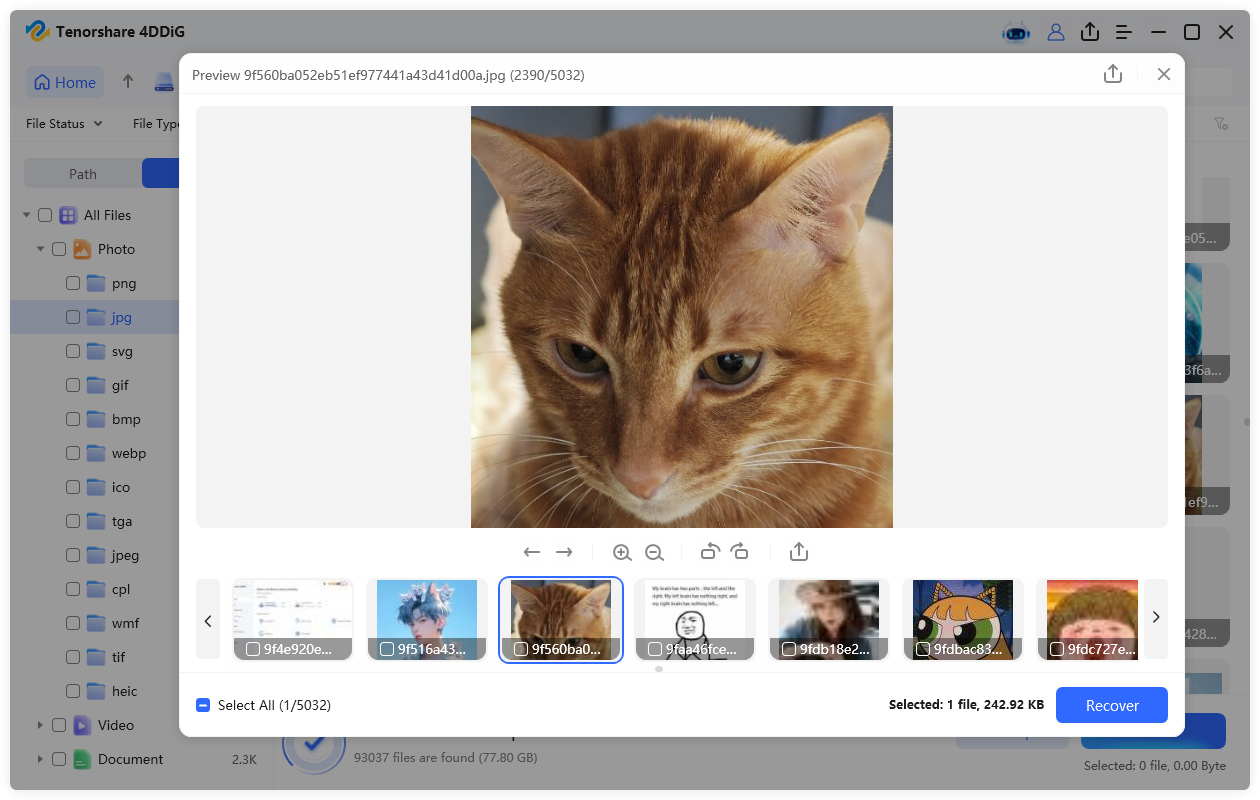
Preview the found files, select the ones you want to recover, and save them to a safe location.
Yes, 4DDiG free data recovery is a trusted, malware-free tool used by millions worldwide. It uses read-only technology to scan and recover lost, deleted, or formatted files without modifying or overwriting your original data, helping keep your existing files safe.
Yes, the free version of 4DDiG lets you recover up to 2GB of data on Windows or 500MB on Mac, offering more free recovery than most other tools on the market. For unlimited data recovery, you can easily upgrade to the paid version >>.
There are many popular free data recovery tools to choose from, and 4DDiG Free is highly recommended. Follow these steps to recover your data for free:
Quick Scan checks your selected drive or location faster and is ideal for finding recently deleted or lost files. Deep Scan performs a more thorough search using file signatures to find files that Quick Scan may miss. It's especially useful when recovering data from formatted, corrupted, or otherwise difficult-to-scan drives.
Absolutely. If you encounter any issues while using the free version, please contact us with the problem details.
 4DDiG Free
